
View Sports & Rosters
Edited
The purpose of this guide is to provide a straightforward method for efficiently accessing sports and athlete rosters.
How To Access Rosters
Follow these simple steps to view the rosters:
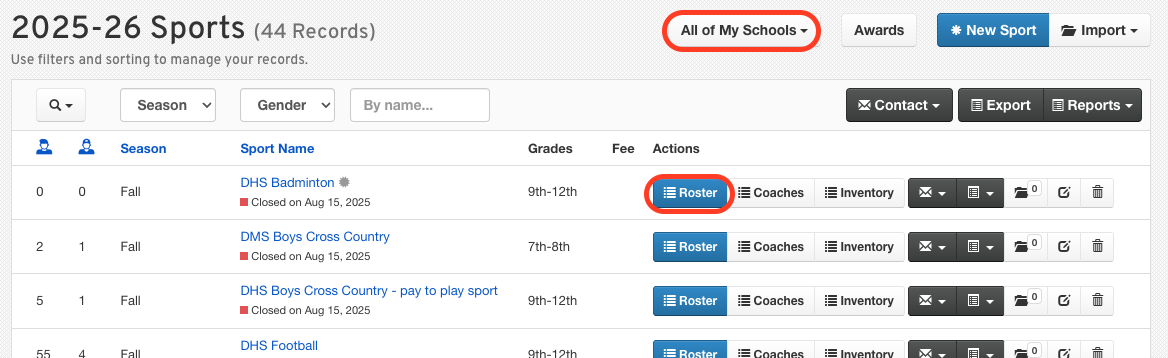
Navigate to Manage > Sports.
Filter the list by School or Season.
Click on a Sport to open its roster.
Important Notes
Here are a few important points to keep in mind while accessing the rosters:
Rosters display athlete eligibility and compliance information.
Coaches will see the Eligibility Mode by default.
Administrators will see the Roster Mode by default.
We hope this guide helps you navigate the sports and athlete rosters with confidence! If you have any questions or need further assistance, feel free to contact our Support Team. We are here to help!
view sports
view roster
athlete roster
sports list
open sport
Was this article helpful?
Sorry about that! Care to tell us more?