
Manage Coaches
Welcome to our guide on managing coaches within the FinalForms platform! This article will walk you through assigning coaches to teams, updating their details, and importing new coaches. Let's dive in!
Accessing the Sports Management Page
To get started, follow these simple steps:
Click on Manage > Sports.
Select the record of the sport you wish to manage.
Primary Actions on the Sport Page
Once you are on the sport's page, you will notice two primary buttons:
Adjust Team Assignments: This option allows you to assign coaches to specific teams. By doing this, you can generate team-specific reports and simplify the coaches' view to show only their team's roster. However, rest assured that coaches will still have access to all athletes for communication purposes.
Adjust Personnel Details: Use this button to modify the personal details of a given coach.
Other Actions and Buttons
In addition to the primary actions, there are several familiar buttons available on this page:
Click the dropdown menu for a list of common notifications to send to an individual coach.
Click to add, update, or view documents that have been uploaded to a coach's account.
Need to unassign a coach quickly? Click the unassign button located to the far right of their actions.
Click to email all coaches at once.
Click to obtain a staff-related export or report.
Adding Coaches
To add a new coach to a sport, follow these steps:
Click on Manage > Sports.
Select the button on the sport or navigate to Coaches from within the sport itself.
Scroll to the Manage Coaches section and click the Add Coach button.
Search for the coach by name, add their position, and fill in any relevant experience details.
Click to finalize the coach's addition to the sport.
NOTE: If the coach does not have a FinalForms account, please contact a Super Admin user to have their account created.
Importing Coaches
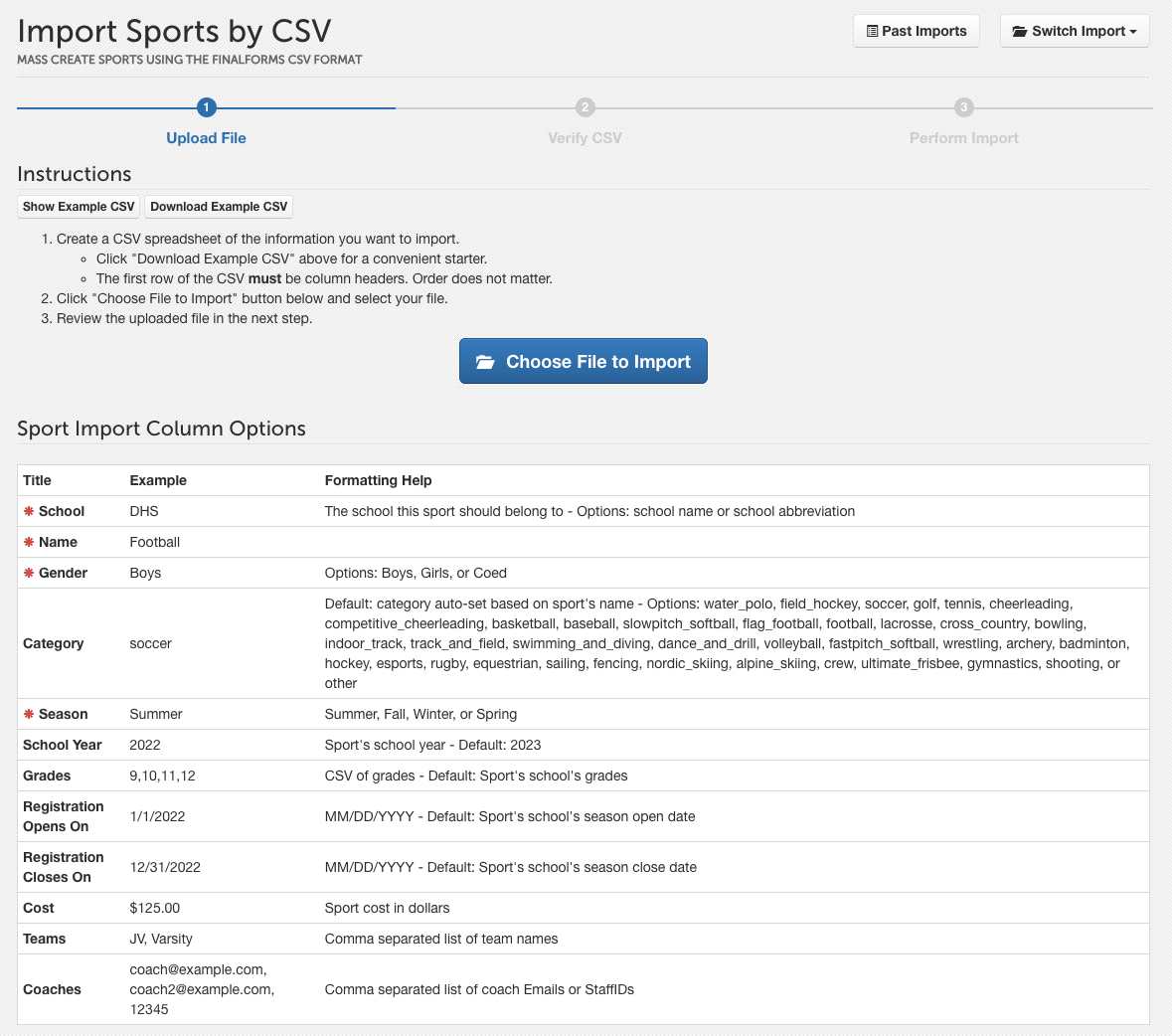
For more information on assigning coaches via import, please refer to our guide on Importing Available to Sports.
We hope this guide helps you manage your coaches effectively in FinalForms! If you have any questions or need further assistance, feel free to contact our Support Team.