
Creating a Full Medical Report
Edited
Full Reports
If a student/athlete suffers an injury, you can create a full medical report by following the directions below:
Click Manage > Medical Reports.
Click the New Medical Report button at the top right of your page.
Input the medical report information. Be sure to include (at minimum) the student, status, injury assessment, severity, injury area, and date.
Note: The date/time defaults to the current date/time.Click "Submit Report" after you enter all details.
Note: If the student's status changes or if you conduct an additional check-up/treatment, record the event through a Medical Report Update.
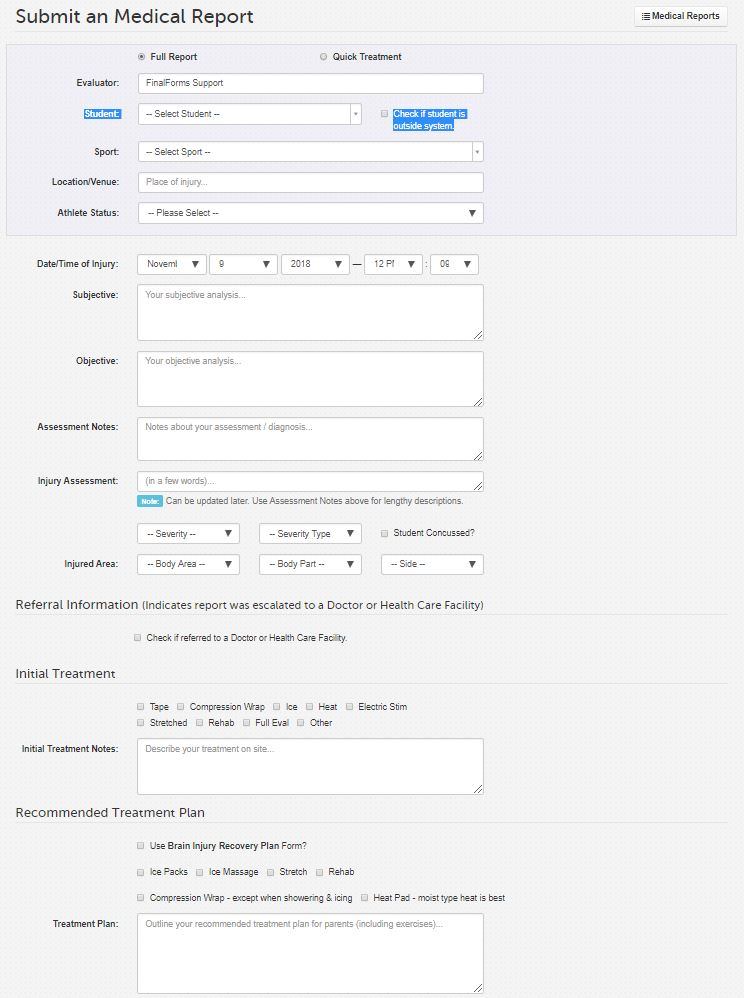
full report
medical report
Was this article helpful?
Sorry about that! Care to tell us more?