
My State Requires Coaching Certifications, Which Are Not Syncing. What Do I Do?
To ensure that your Coaches' Tool Chest certifications sync properly, a staff member's FinalForms email must match the email they use for their Coaches' Tool Chest account. This document outlines the importance of matching emails and the steps to take if you encounter syncing issues.
Troubleshooting Syncing Issues
If your Coaches' Tool Chest certifications aren't syncing, it’s likely due to a mismatch between your email addresses in FinalForms and Coaches' Tool Chest. Follow the steps below to resolve this issue:
Verify that the emails on both accounts match. If they do not match, one of your accounts will need to be updated.
Note: If your district requires a school-issued email on your Staff account, then you will need to update your Coaches' Tool Chest email to match FinalForms.
Ensure that certifications are set up to sync properly by going to your Profile page and checking that the Coaches' Tool Chest sync button and the Take on CoachesTC action button are available for any certifications that have not been completed:
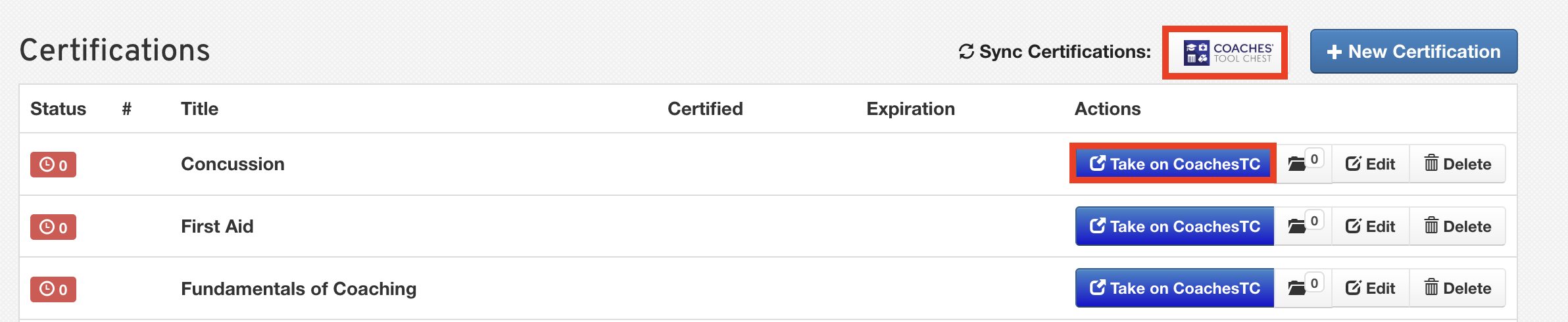
If these buttons are unavailable and your administration has confirmed the sync should be available, please contact our Support Team for assistance.
Conclusion
Ensuring your emails match on both platforms (FinalForms and Coaches' Tool Chest) is vital to the successful syncing of your certifications. By following the troubleshooting steps outlined above, you can resolve any issues and maintain access to essential resources.