How to Manage Coaches
As an athletic administrator, you can manage coaches by:
Adding or removing a coach from a sport
Assigning coaches to various teams within a sport
Assigning positions and titles to a coach (i.e., Head or assistant Coach)
Sending notification emails to coaches
Adding documents to a sport for coaches to view
Emailing coaches for a sport directly
We will walk you through how to perform these tasks below.
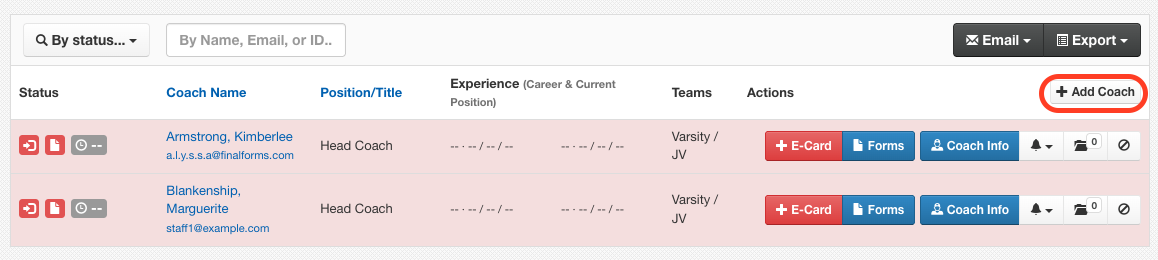
How to Add a Coach to a Sport:
Click Manage > Sports.
Click the Coaches button on the sport.
Click the + Add Coach button.
Search for the coach by name, add their position, and fill in any experience details.
Click Add Staff to finalize adding the coach to the sport.
Note: If the coach does not have a FinalForms account, contact a Super Admin user to create one.
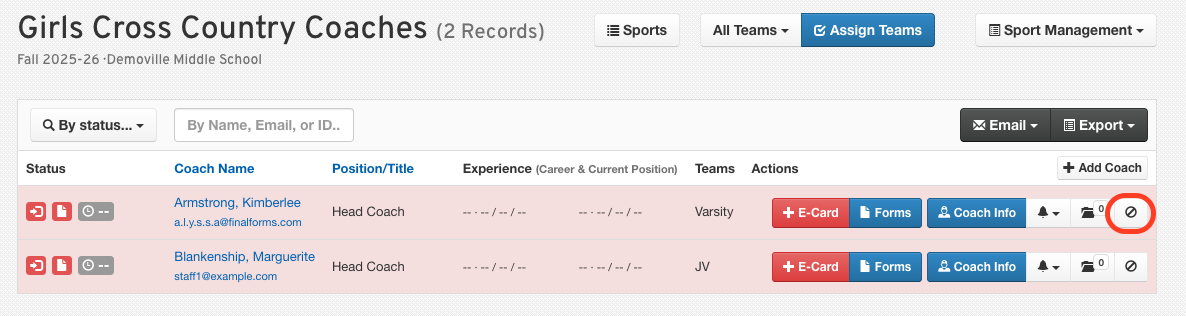
How to Remove a Coach from a Sport:
Click Manage > Sports.
Click the Coaches button on the sport.
Scroll to the Manage Coaches section.
To remove a coach, click the Remove button.
A pop-up window will appear to confirm the coach's removal from the sport.
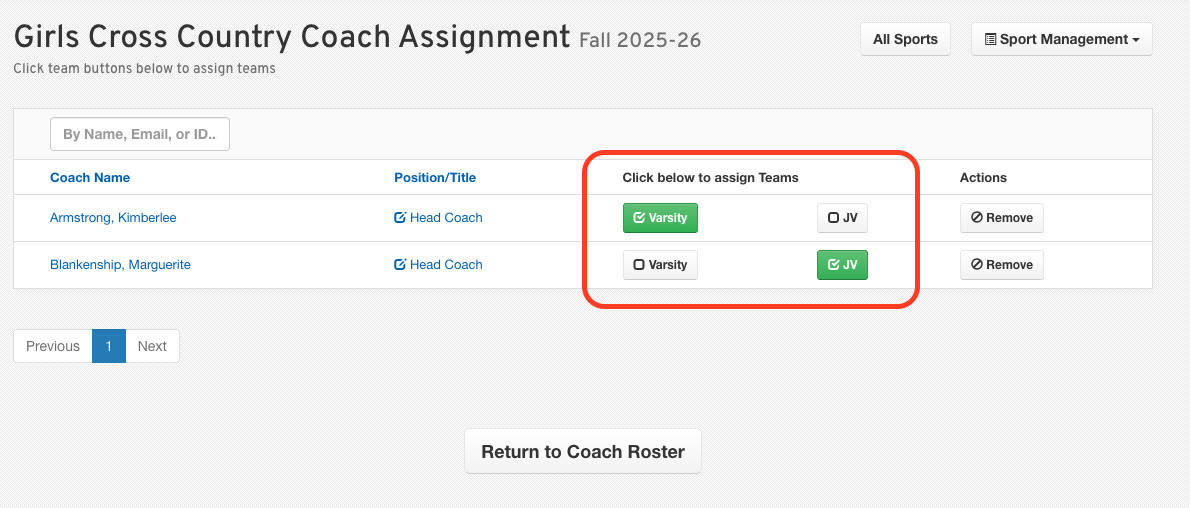
How to Assign a Coach to a Team
Assigning coaches to teams makes it easier to produce team-specific reports and simplifies their view by showing only their own team's roster. However, coaches still have access to all athletes for communication purposes.
Click the Coaches button for a sport.
On the coaches' management page, click the blue Assign Teams button.
Select the teams for which each coach should have management.
Click Return to Coach Roster.
How to Update the Coach Title and Role Within a Sport:
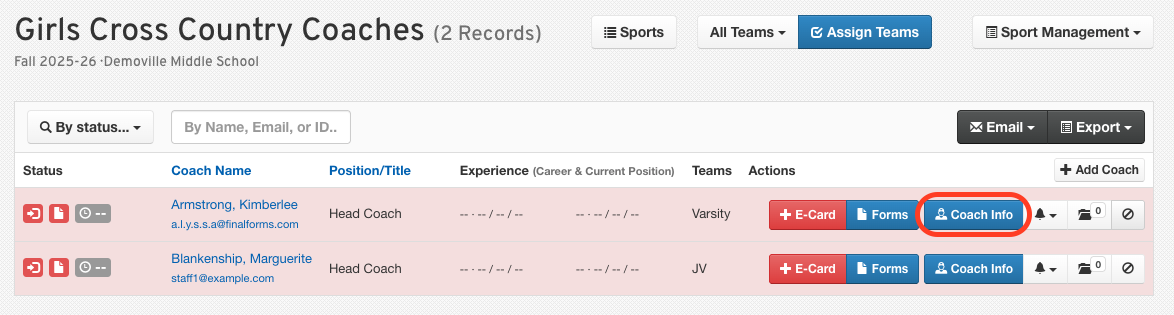
Click the Coaches button for a sport.
Click the Coaches Info button for a coach.
In this pop-up, you can update the position/title and data access, and add coaching experience to the coaches' information.
Click Update Coach Information to save the changes.
How to Send notifications to a Coach:
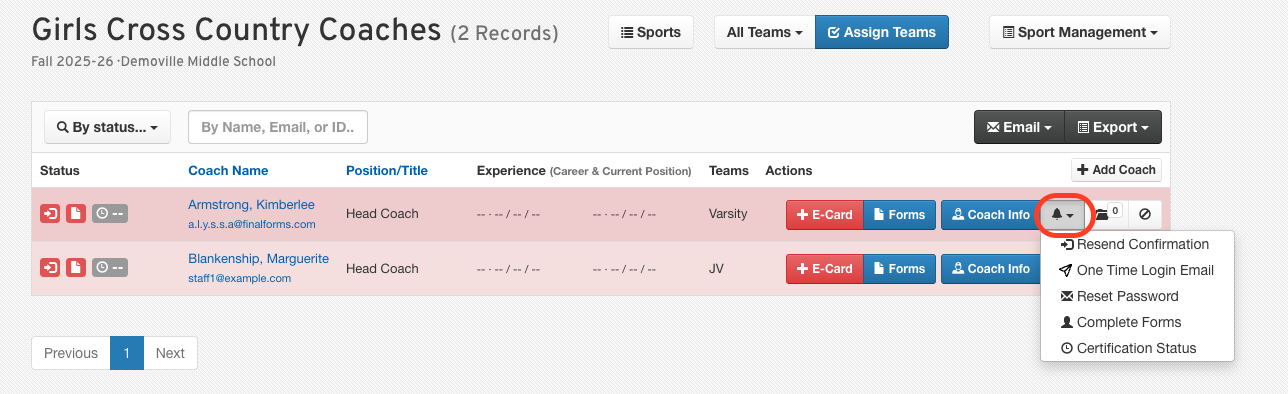
Click the Coaches button for a sport.
Click the Bell icon to view a coach's available notifications.
Select the notification you would like to send to that coach.
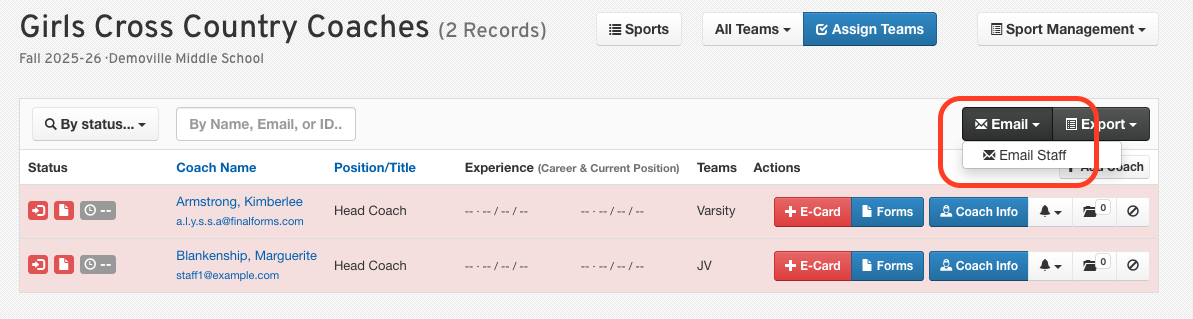
How to send emails to coaches for a sport:
Click the Coaches button for a sport.
Apply any filters to target the desired coaches to email, if applicable.
Click the Email dropdown and select Email Staff.
Fill out the email template and click Send Email.