
Record an External Payment
Welcome to our guide on how to record payments for student fees! Whether you're accepting cash, checks, or credit card payments, we've got you covered. This friendly, step-by-step process will help you manage payments efficiently, including the option to make partial payments. Let's get started!
Steps to Record Payments
Go to Manage > Students.
Click the Payments icon on the student's row.
Click Checkout at the bottom of the pop-up
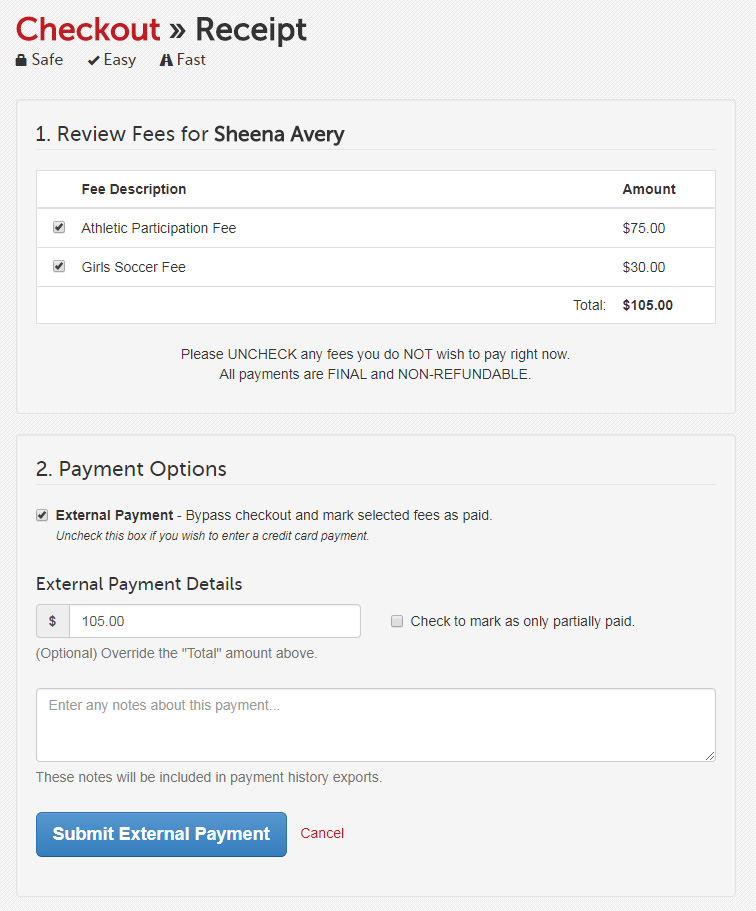
Select only the fees you want to pay.
(Optional) Modify the total amount paid to match what was actually paid.
Note how the payment was received.
Click Submit External Payment.
The student's Payments icon will be colored green on the appropriate sport or activity roster.
NOTE: A receipt for the external payment will be sent to your email address.
Thank you for using FinalForms! If you have any questions, feel free to reach out to our Support Team.