
How Do I Fill Out the WIAA Membership Renewal Form?
The WIAA Membership Renewal can be completed through the Annual Checklist by accessing the District-Wide Annual Checklist form. Please note that only Super Admins with district office permission can access the District-Wide Annual Checklist. If you do not have access, you will need to contact a district office Super Admin or a Super Admin at your school to update your permissions.
Super Admins can follow these steps to update the WIAA Membership Renewal:
Click the Calendar icon on the top navigation bar.
Click District-wide under the 2026-27 Annual Checklists section.

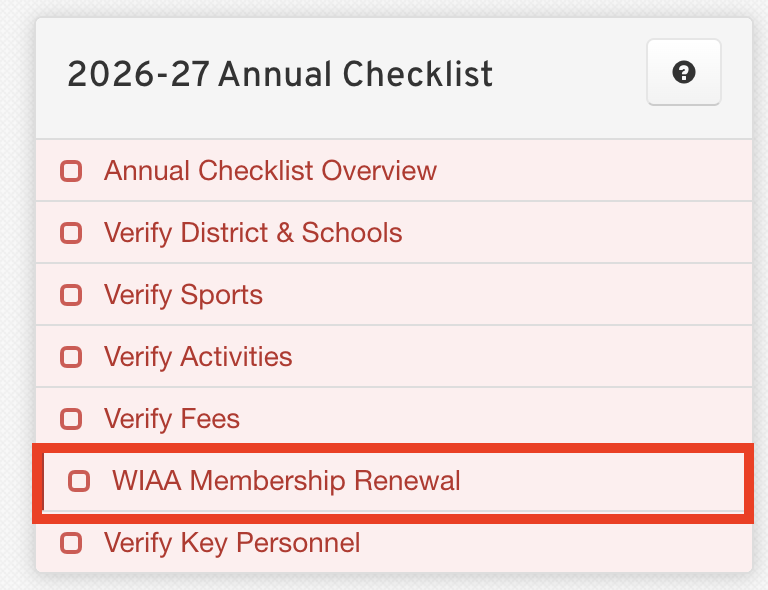
On the sidebar, click the WIAA Membership Renewal tab.
Complete the District-Wide form. You should see a button labeled Upload School Board Resolution.
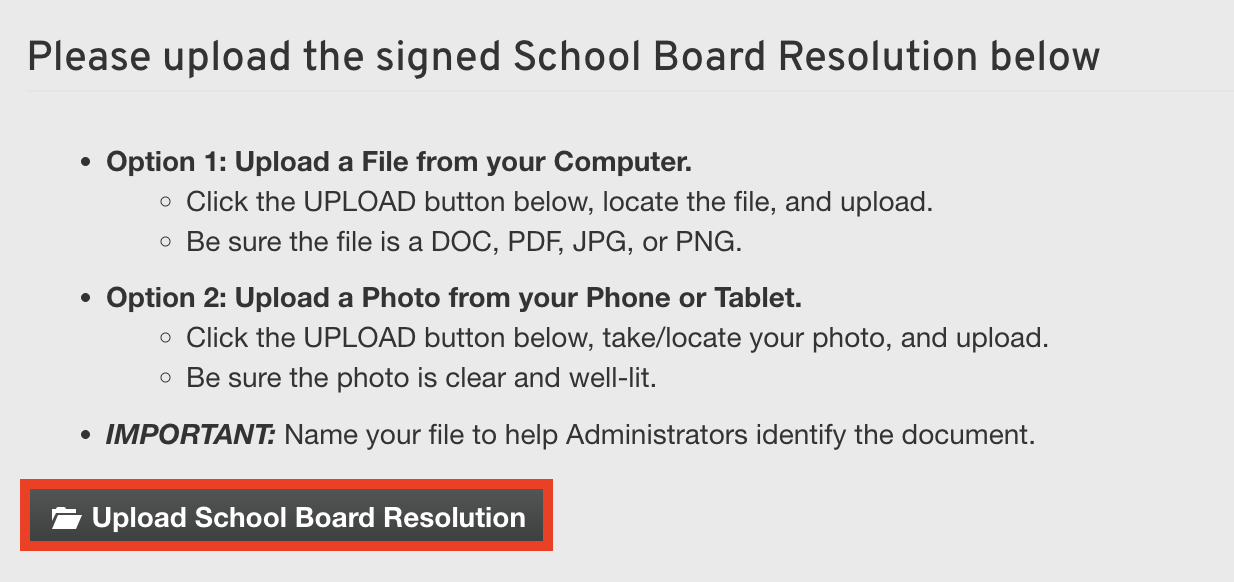
Upload the School Board Resolution and sign the form.
NOTE: The School Board Resolution must only be uploaded to the district-level WIAA Membership Renewal & Resolution form; individual schools still need to sign the school-level WIAA Membership Renewal & Resolution form. On the district-level form, you have the option to copy your signature automatically to the school-level form.
We hope this information is helpful to you. Please let us know if you have any additional questions, and we'd be happy to assist you further.