
How Do I View and Navigate Parent Accounts?
Welcome to our guide on how to view parent information in FinalForms! Whether you're a registrar or a secretary, this document will help you navigate the options for managing parent records. Let's get started!
Short Answer
You can easily view parents by school, enrollment status, or participation using our table modes and filters. This flexibility allows you to access the information you need quickly and efficiently.
Viewing All Parents
To get started with viewing all parents, follow these simple steps:
Go to Manage > Parents.
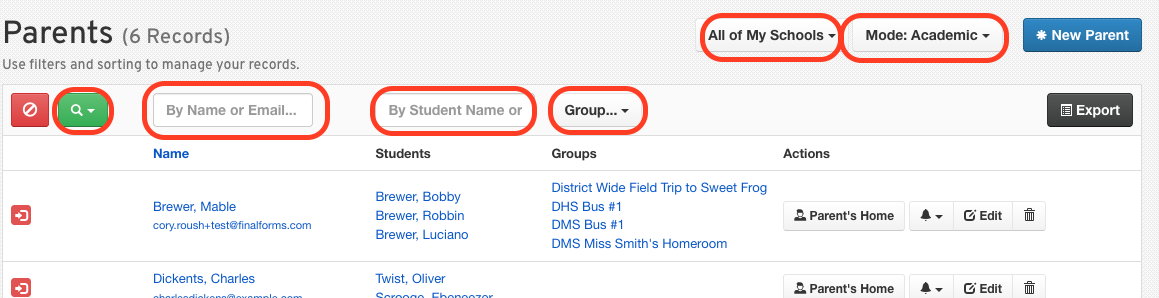
Choose one of the following options:
View by School / Building.
Switch between different view modes:
Academic - lists student Group assignments in the Group Column
Athletic - lists student Sport assignments in the Sport column
Extracurricular - lists student activities assigned in the Activities column
Use the dropdown to show parents with currently enrolled students.
Helpful Notes
Filters can be combined for more specific searches.
Modes change which columns and filters are available, so be sure to explore each option!
Parent records reflect connected students, not individual enrollments, ensuring you have a comprehensive view of each family's involvement.
We hope this guide helps you efficiently manage and view parent information in FinalForms. If you have any questions or need further assistance, feel free to reach out to our Support Team!