
Creating a New Parent Account
Welcome to our guide on creating parent accounts in FinalForms! This article walks you through the steps to manually create parent accounts and directly attach students from the Parents page. Let's get started!
Administrators can manually create parent accounts and attach students directly from the Parents page.
How to Create a Parent Account
Follow these easy steps to create a parent account:
Go to Manage > Parents.
Click the New Parent button.

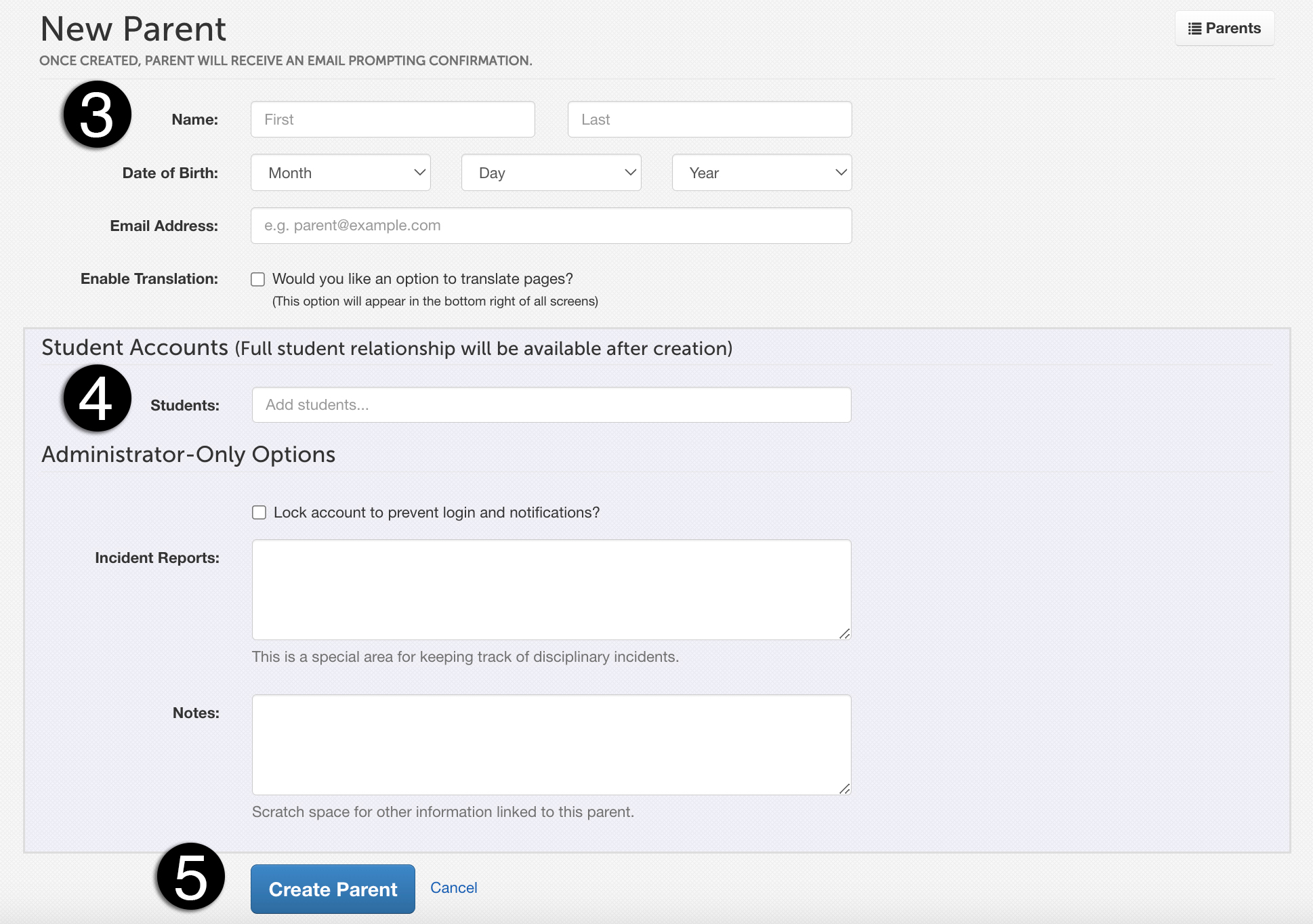
Input first name, last name, and email address, as well as any other information you prefer.
Start typing the parent's students' names to add them, if the student(s) have FinalForms accounts.
Click the Create Parent button.
What Happens Next
Once you have saved the parent account, the following will occur:
A confirmation email is automatically sent to the parent.
The parent must confirm their email before logging in to FinalForms.
Important Notes
The email address provided will serve as the parent's username for login purposes.
Parents may self-connect additional parents later through the Contact Information form.
And that's it! You are now ready to create parent accounts in FinalForms. If you have any questions or need further assistance, feel free to contact our Support Team!