
Editing a Parent Account
Welcome to our guide on editing parent accounts in FinalForms! Whether you need to update your contact details, permissions, or language settings, this article will walk you through the process step by step. Let's get started!
You can edit parent accounts to ensure all information is up to date. This includes updating contact details, permissions, language settings, and managing connected students.
How to Edit a Parent
Follow these simple steps to edit a parent account:
Go to Manage > Parents.
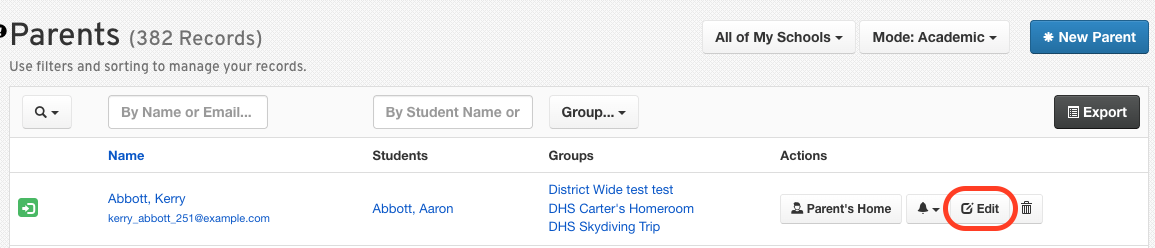
Click Edit on the parent's row.
Make the necessary changes.
Click Update Parent.
Available Edit Options
When editing a parent account, you have several options available:
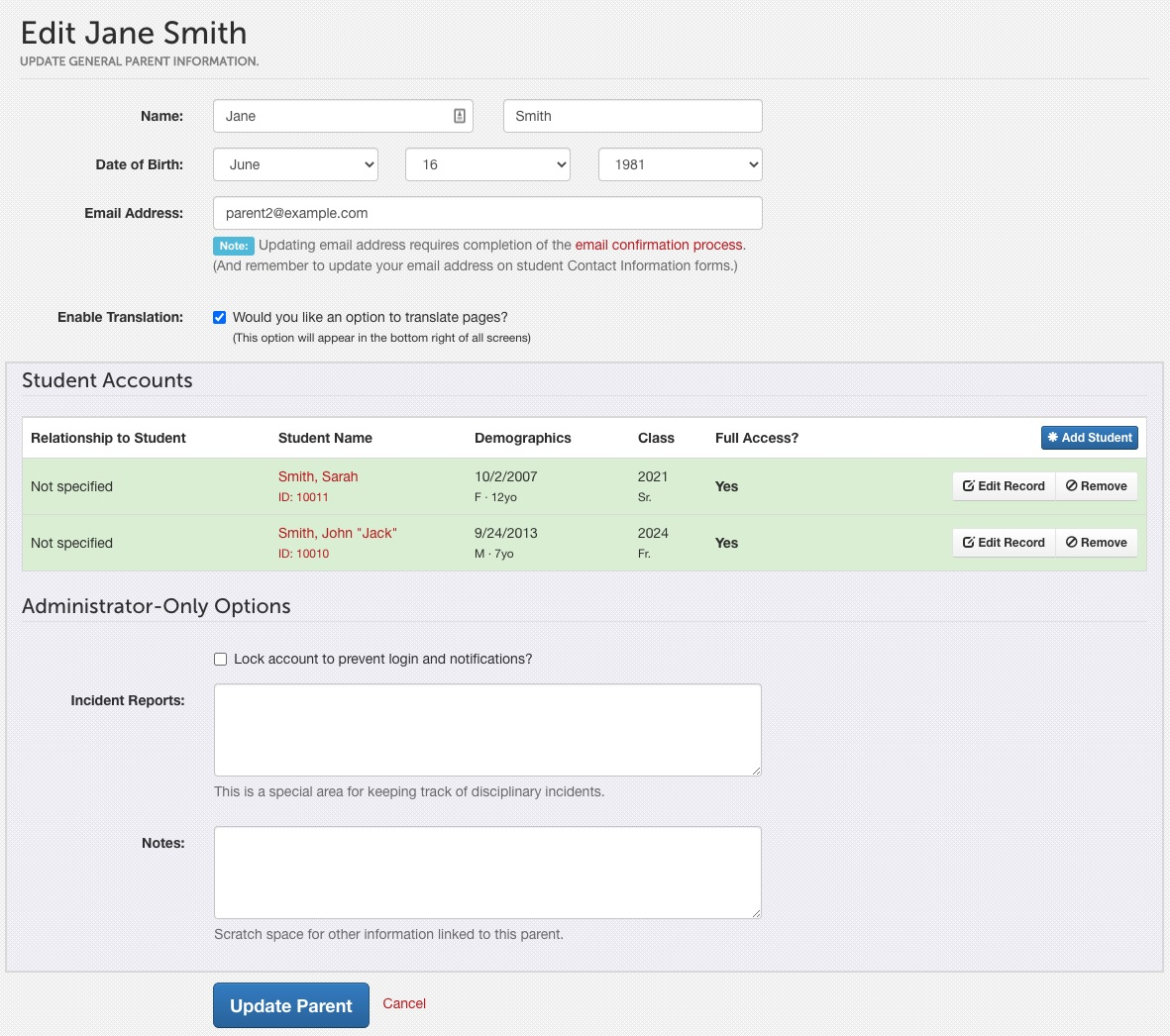
Email Address – An email address is required for a parent account to be created and to access FinalForms. This will serve as their username for logging in and managing students.
Translation – Enable/disable translation of pages on FinalForms for different languages. (We use Google Translate's algorithm for our translations).
NOTE: Please contact support@finalforms.com to enable translation on your district's site.
Security - Set and manage parent Multi-Factor Authentication.

Student Accounts - View/Edit connected Student accounts.
Set Read-Only - Click the Edit Record button to mark a parent as Read-Only. This limits their ability to edit or access student forms in a custody situation.
Manage Email Opt-Ins - Adjust a parent's notification email settings.
Lock Account – Checking this box prevents the parent from logging in to FinalForms and from viewing or managing their students. It will also prevent them from receiving any email.
Incident Reports – Keep track of all incident reports and any extenuating circumstances in which the student was involved.
Notes – Additional space for any important or relevant information that is otherwise not within their account
When to Lock Instead of Delete
Sometimes, you may need to lock a parent account rather than delete it. Here are the benefits of locking:
Preserves history
Prevents login
Stops email notifications
By following these guidelines, you can effectively manage parent accounts in FinalForms. If you have any questions or need further assistance, feel free to contact our Support Team!