
Connecting an Existing Student to a Parent Account
Edited
You can manually connect an existing student account to a parent account from the parent's profile.
How to Connect a Student
Follow these simple steps to connect a student to a parent account:
Go to Manage > Parents.
Click Edit on the parent profile you wish to update.
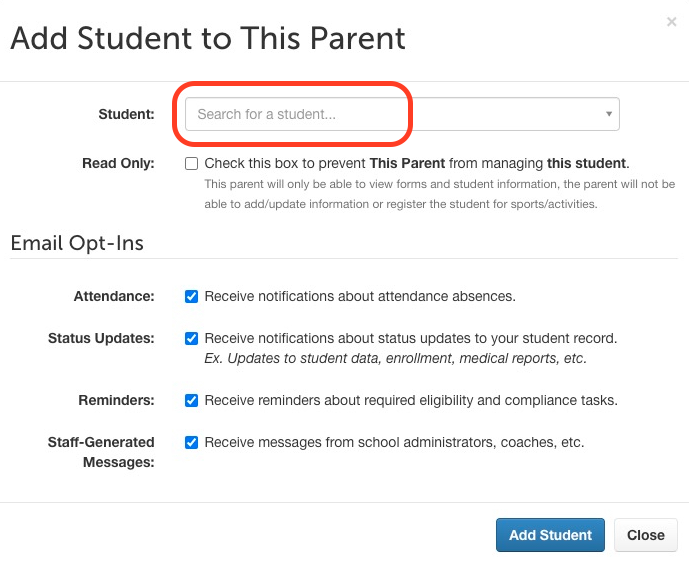
Click Add Student.
Search for the student by name or email.
Adjust settings if needed.
Click Add Student.
Notes
It's important to remember the following:
This process does not create a new student account.
Use this method when family connections were not created automatically.
We hope this guide helps you connect student accounts to parent profiles smoothly! If you have any questions or need further assistance, feel free to contact our Support Team.
connect parent to student
add student to parent
Was this article helpful?
Sorry about that! Care to tell us more?