
How to Set Parent Relationship to Student
This document provides guidance on how to manage the Relationship to Student section within FinalForms, specifically focusing on the parent information from the Contact Information form.
Understanding the Relationship to Student Section
The Relationship to Student section automatically populates based on the parent information entered in the Contact Information form. This feature is designed to streamline the process of linking parents to their respective students.
Auto-Filling Parent Relationship
If the parent's name and email address listed on the Contact Information form matches the details associated with their parent account, the system will auto-fill the Relationship to Student field accordingly.
Handling Unspecified Relationships
In cases where the email addresses match but the Relationship to Student still indicates "Not Specified," it signifies that the parent has not yet selected their relationship on the Contact Information form. To rectify this:
You can edit this information on behalf of the parent by navigating to the Contact Information form and making the appropriate selection.
Important Considerations When Making Changes
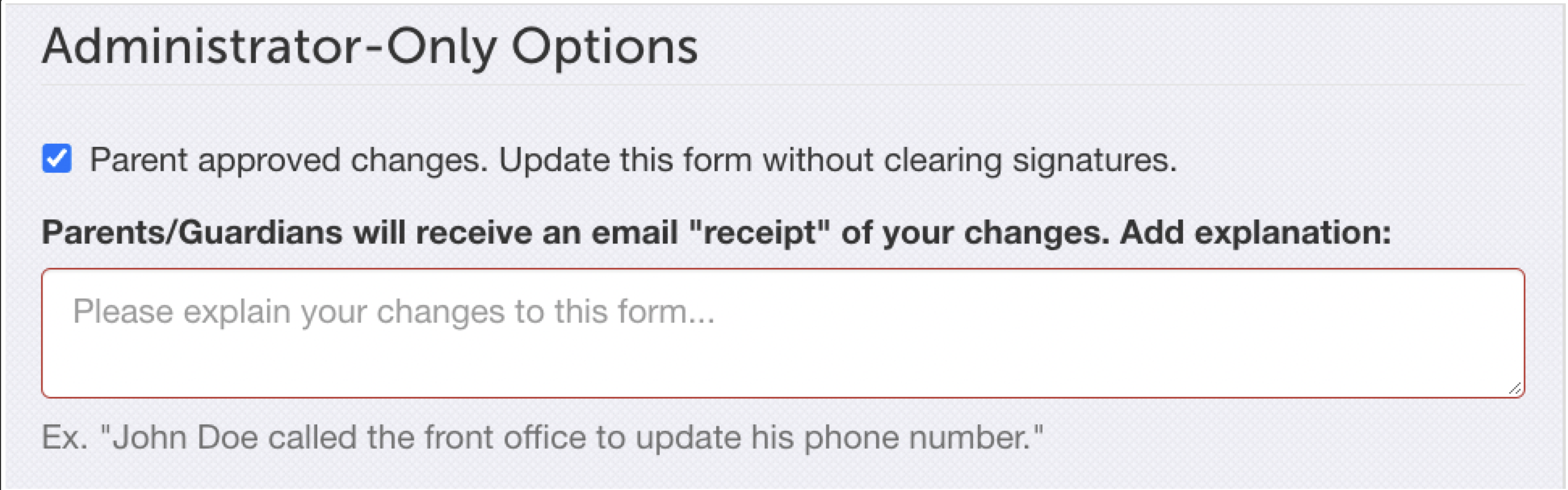
When you make changes to the Relationship to Student on your end, it is crucial to ensure that the Admin-Only Parent Approved Changes option is checked. This step is vital to prevent the removal of existing signatures. Please note that if signatures are removed, even inadvertently, they cannot be reinstated legally. In such cases, the parent will need to log in to FinalForms and re-sign the necessary documents.
If you have any questions or require further assistance, please do not hesitate to contact our Support Team.