
Remove a Parent From a Student Account
In this guide, we will walk you through the steps to detach a parent/guardian from their student(s) in FinalForms. Additionally, you will have the option to lock the parent's account to prevent further logins and notifications. Let's get started!
Steps to Detach a Parent
Follow these simple steps to detach a parent from their student accounts successfully:
Navigate to Manage > Parents.
Use the search function to find the parent you wish to detach.
Click the Edit button for the parent's account.
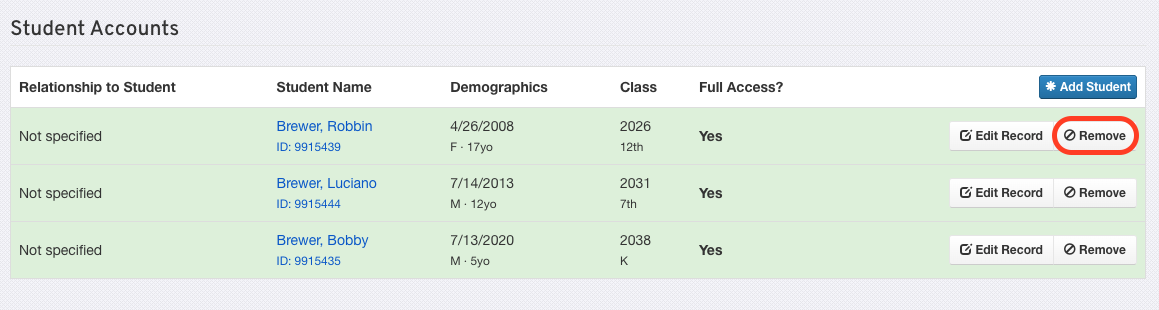
Scroll down to the Student Accounts section and click the Remove button.
How to Lock a Parent Account:
If you want to prevent the parent from logging in and receiving notifications, check the Lock account to prevent login and notifications box.
Finally, click on Update Parent to save your changes.
That's it! You have successfully detached a parent from their student(s) and, if requested, locked their account. If you have any questions or need further assistance, feel free to reach out to our Support Team.