
Can I Make Changes to a Student's Form?
This document provides a comprehensive guide for administrators on how to fill out form answers on behalf of a Parent or Guardian. By following the outlined steps, administrators can successfully update forms and ensure that all necessary information is accurately captured.
Steps to Update Form Answers
To update form answers on behalf of a Parent or Guardian, please follow these steps:
Go to the Manage > Students page and locate the desired Student.
Click on the Student's Forms button.
In the left panel, find the form that requires updating.
Update the necessary information on the form.
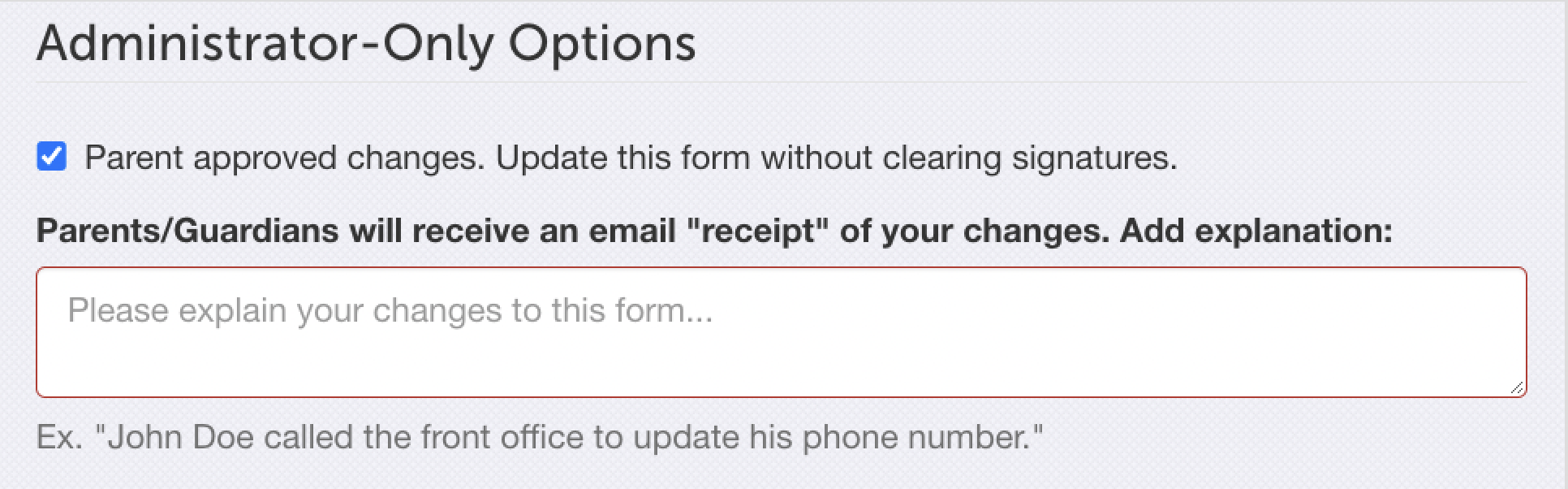
Ensure that the Admin-Only Parent Approved Changes option is checked. This step is crucial to prevent the removal of existing signatures. Please note that if signatures are removed, even inadvertently, they cannot be reinstated legally. In such cases, the parent would need to log into FinalForms and re-sign the document.
Important: If the Parent or Guardian is unable to sign the form, please mark the Student as Filed Externally.
Conclusion
By following these steps, you will have successfully updated a student's forms on behalf of the Parent or Guardian. If you have any questions or require further assistance, please do not hesitate to contact our Support Team.